Skip to content

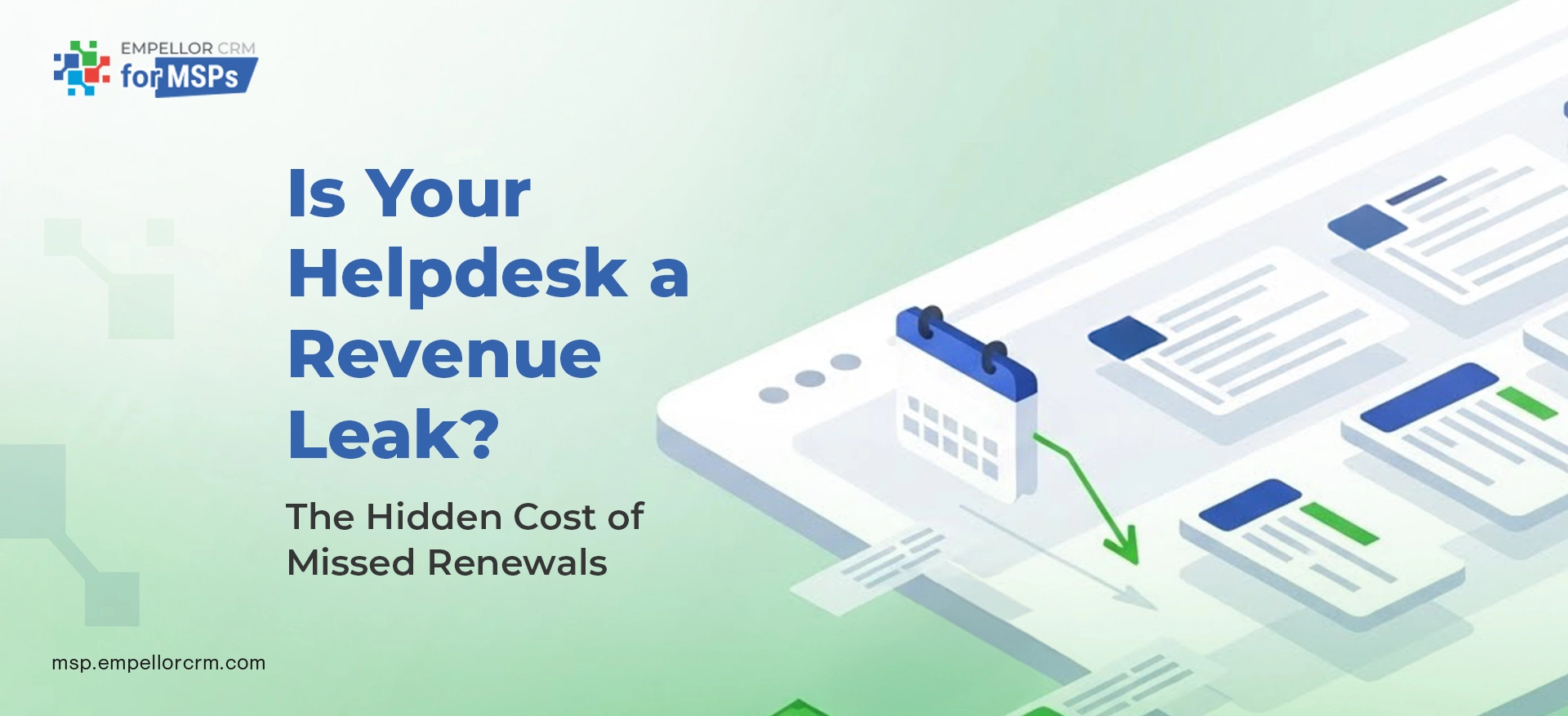
What this covers: Why well-run MSPs still bleed ARR through disconnected systems — and the exact 30-day sprint to stop it. Includes the health score model, a T-120 renewal playbook, email templates, RACI ownership, and the four dashboards that replace gut-feel forecasting with visible pipeline.
A $5M-ARR MSP running a clean support operation — solid SLAs, decent CSAT, low backlog — can still bleed $148,000 a year in avoidable revenue loss.
Not from bad service. From disconnected systems that let renewal risk build up invisibly in the helpdesk while the account manager is looking at a green pipeline.
That’s the gap this post is about. Not service quality. The plumbing between your PSA, your RMM, and your renewal calendar — and what happens when nothing connects them.
Why Renewals Fail at MSPs With Great Service
The most dangerous assumption in MSP account management is that a happy client is a safe renewal. It’s not. Happy users and healthy renewals are not the same thing.
Renewals fail because the signals that predict renewal risk — chronic incidents, SLA misses, low CSAT, license drift — live in the helpdesk and never reach the account manager until it’s too late to run a save play. Five root causes drive this in almost every MSP:
Disconnected systems. Tickets sit in the PSA. Contracts sit in the CRM. Assets sit in the RMM. Licenses sit in the billing system. Nothing rolls up to a single renewal view. The AM forecasts off gut feel because there’s no joined-up data to work from. This is the same fragmentation that makes accurate MSP forecasting so difficult — you can’t forecast what you can’t see.
Invisible risk. Three P1s in 30 days is a churn signal. An SLA breach in the 60-day window before renewal is a discount trigger. Low CSAT from a key contact is a stakeholder risk. None of these automatically flag the account owner. They close as tickets and disappear.
License and asset drift. Seat adds happen fast — a new hire, a new location, a new project. Removals and true-down credits lag by months or never happen. Orphaned devices accumulate. The client gets an invoice that doesn’t match what they think they have, and that becomes the renewal conversation instead of value delivered. For a full breakdown of what this costs, see the hidden cost of manual billing for MSPs.
Renewal owned by whoever’s free. No RACI. No defined timeline. No exit criteria for moving an account from At-Risk to Committed. The renewal happens at the last minute, under pressure, and often at a discount to close it fast.
Reactive communications. No structured QBR or EBR cadence means expansions and renewals happen by accident. The client’s experience is shaped entirely by incident responses — which means their last impression before renewal is always their most recent problem.
What the Revenue Leak Actually Costs: The Math
Before deciding this is a low-priority problem, run this calculation on your own ARR.
| Leak Category | How It Happens | Annual Cost at $5M ARR |
|---|---|---|
| Avoidable churn (1.5%) | Risk signals never reach AM; client churns before save play runs | $75,000 |
| Discount leakage | $1.2M of at-risk renewals were discounted an average 6% to close fast | $72,000 |
| Unbilled usage | 25 orphaned Microsoft seats at $18/user, unnoticed for 3 months | $1,350 |
| Total annual leak | $148,350 |
Scale to $10M ARR, and the number roughly doubles. This isn’t a fringe problem — it’s a structural leak that compounds every quarter you don’t fix it.
The clients you’re losing weren’t unhappy with the service. They’re the accounts where no one was watching the signals. As the forgotten fortune in existing accounts shows, the fastest revenue path for most MSPs runs straight through the book they already own — but only if the retention infrastructure is there to protect it.
The 5-Question Hygiene Check
Before the 30-day fix, run this diagnostic. Answer yes or no honestly. If you can’t answer yes to all five, you have a leak.
1. Do tickets tag the customer, contract, and product SKU automatically?
2. Do three strikes — three P1S in 30 days, an SLA breach, or a CSAT score of 3 or below — automatically create a renewal risk and assign it to the AM or CSM?
3. Are expiring assets (AV/EDR, M365, firewall, backup) surfaced 120 days before expiry?
4. Is there a single renewal view — by-month — showing ARR, health score, risk reason, and next action?
5. Do you run a QBR or EBR at least twice a year for your top 50% of ARR?
Score 4 or below? The 30-day fix plan below is a good place to start. Most MSPs score 1 or 2 on the first pass — not because they’re running poor operations, but because no one ever built the connecting infrastructure.
The Health and Risk Scoring Model
Before you can automate renewal risk flags, you need a scoring model that’s simple enough to explain in a client conversation and specific enough to route on automatically. This model works for most MSPs and can be built in Dynamics 365 with Power BI.
| Dimension | Weight | What It Measures |
|---|---|---|
| Tickets | 40% | P1/P2 frequency in the last 60 days, reopen rate, and tickets aging past 7 days |
| SLA adherence | 20% | Response and resolution adherence over the last 60 days |
| CSAT / NPS | 15% | Average and trend over 90 days — not just the most recent score |
| Adoption | 15% | % devices protected, backup success rate, MFA coverage |
| Finance | 10% | Invoices overdue by more than 30 days |
Score interpretation:
- 85+ → Healthy — standard renewal motion
- 75–84 → Watch — AM touchpoint required within 14 days
- Below 74 → At-Risk — enters the renewal playbook automatically at T-90
Every At-Risk account automatically enters the renewal playbook when the 90-day mark hits. No manual triage. No “someone should probably check on that account.” The system routes it.
CRM-based reporting enables this model to run continuously rather than as a quarterly exercise. When the health score updates in real time, the AM’s view is always up to date — not a snapshot from the last reporting cycle.
The 30-Day Fix Plan
None of this requires new software. Every component runs on tools most MSPs already have — ConnectWise Manage, Autotask, or Halo for PSA; Dynamics 365 or similar for CRM; Power BI for dashboards. The gap is configuration and process, not capability.
Days 1–7: Data and Definitions
Normalize contracts and SKUs in your PSA. Map assets to contracts to invoices, and backfill missing links for your top 50 accounts first — these are the accounts where a leak costs most.
Define your risk reasons in plain language: chronic incidents, SLA miss percentage, CSAT trend, unpaid invoices, and key stakeholder change. These become the picklist values in your CRM renewal record. Plain language matters — vague risk categories get applied inconsistently and become useless within two weeks.
Days 8–14: Automation
Build the renewal calendar with five trigger points: 120, 90, 60, 30, and 7 days before the term date. Each trigger fires a CRM task assigned to the AM, with the context already attached — no manual triage required.
Add two webhook rules that recover most of the revenue leak immediately:
Risk threshold rule: 3+ P1/P2 tickets on the same account in 30 days, OR an SLA breach, OR a CSAT score below 3.5 → automatically create a Renewal Risk record, assign to AM, set 48-hour response SLA.
License variance rule: RMM-discovered devices and users are auto-reconciled against billed quantities. Delta above 5% → open a Billable Variance task for AM review. This single automation typically recovers 12–18 months of unbilled seat creep in the first reconciliation run.
For MSPs running renewal automation through Work 365, the co-terming logic and NCE subscription alignment layer onto this framework directly — turning the manual renewal calendar into a system that runs itself for recurring seat changes.
Days 15–21: Playbooks and Communications
Publish the renewal playbook (see below). Update your QBR template to include an Adoption and Risk page pulled directly from helpdesk data — not manually assembled. For the full QBR structure that makes this work, see Quarterly Growth Reviews: Keeping Your Strategy Aligned.
Enable a Success Plan document per at-risk account. This is the mutual action plan that makes the T-30 commercial conversation feel like a continuation of a strategic partnership rather than a surprise negotiation. Clients who arrive at renewal with a documented success plan in hand are significantly less likely to use the renewal as leverage for a price concession.
Days 22–30: Dashboards and Accountability
Build four single-page dashboards. These replace the weekly “how are renewals looking?” conversation with a visible, data-led stand-up:
| Dashboard | Key Metrics | Primary Audience |
|---|---|---|
| Renewals by month | ARR, status, owner, risk reason, next step, days to expiry | AM team, leadership |
| Helpdesk to revenue | % tickets with contract/SKU tagged, P1/P2 per 100 devices, SLA trend, CSAT trend, at-risk count | AM + Service Desk Lead |
| License hygiene | RMM-discovered vs billed — M365 seats, endpoints, variance value ($) | Billing, AM, RevOps |
| QBR/EBR coverage | % of ARR with an executive review in the last 180 days | Leadership, AM team |
Building dashboards that your AM team actually uses means they need to live in the AM’s existing workflow — not a separate portal they have to remember to open. In Dynamics 365 with Power BI embedded, these four views automatically surface in the AM’s morning briefing.
Start the weekly renewal stand-up: AM, Service Desk Lead, and Billing. Twenty minutes. Review only the next 120 days. No status theatre — decisions and blockers only.
The MSP Renewal Playbook
This is the sequence every at-risk and standard renewal should run through, starting 120 days before the term date.
T-120: Health Baseline and Value Reinforcement Pull a health baseline — tickets from the last 90 days, SLA adherence, CSAT average, asset ages, and adoption metrics. Send an Outcome Recap and Roadmap Preview to the primary contact. This isn’t a renewal conversation yet — it’s a value reinforcement touchpoint that primes the conversation eight weeks later. Clients who receive a data-backed outcome recap before the renewal conversation are less likely to open with a price objection.
T-90: Renewal Roadmap and Stakeholder Mapping. Present renewal options — status quo, upgrade, and cross-sell bundles tied to gaps in the health baseline. This is where the expansion conversation starts naturally, rather than being a separate sales motion. Begin stakeholder mapping: economic buyer, IT lead, security owner, finance approver. All four must be identified before T-30 or the renewal will stall in procurement.
For a full account expansion approach at this stage, see how MSPs expand revenue from existing customers.
T-60: Scope Confirmation and Blocker Clearance Confirm scope and quantities. Resolve any open P1 or P2 tickets flagged as renewal blockers. If there are open incidents at T-60, this is the sprint to clear them — unresolved incidents at T-30 become discount leverage. The service desk’s role in the renewal is concentrated here: clear the technical blockers so the AM’s commercial conversation doesn’t start on the back foot.
T-30: Commercial Conversation Send commercials with a QBR-linked value summary. If the account health score is At-Risk, escalate to an exec-to-exec call. The AM should not be handling an at-risk renewal alone at this stage.
T-7: Final Confirmation: Confirm go-live date for service changes. Verify e-sign is queued with the right approver. Send a brief nudge — not a sales email, a logistics email.
T+1: The Next Cycle Starts Here. Send a “thanks and next-90 plan” note. Include one expansion discovery question: what did they leave out of this renewal that they’ll need next quarter? This is where the next upsell cycle begins — connected to the client portal experience if you have one, where the client can see their own usage and service data between conversations.
Email Templates That Work
T-90 Outreach
Subject: 90-Day Review: Results and Options Before Renewal
Hi [Name],
Over the last 90 days we resolved [X] criticals with [Y]% SLA adherence and [Z]% backup success. Two gaps to close before renewal: [gap 1], [gap 2].
I’ve queued three options — Hold, Harden, and Modernize — each with a different scope and investment level. Can we review for 25 minutes next week with [Decision Maker]?
[Your name]
The three-option structure is deliberate. It moves the conversation from “do we renew?” to “which renewal?” — a fundamentally different negotiating position. MSP sales and marketing alignment determines whether the AM has the data to populate [gap 1] and [gap 2] credibly, or has to guess.
At-Risk Exec-to-Exec Outreach
Subject: Renewal check-in: removing blockers before we sign
[Exec name],
We’re seeing [specific blockers] affecting your team. We’ve ring-fenced an action plan that returns the account to green in two weeks. May I join you and [IT lead] for 15 minutes Thursday to confirm the path so we can renew on time?
[Your name]
The specific blocker reference is non-negotiable — a generic version of this email reads as panic, not preparation. The AM needs the ticket and health data to write this credibly. If the data isn’t there, the renewal conversation starts defensively.
Exit Criteria: What “Committed” Actually Means
Ambiguous renewal stages are how forecast accuracy breaks. An opportunity should only move to Committed in the pipeline when all five of these are true — not when the AM feels good about it:
| Criteria | Standard |
|---|---|
| Open P1/P2 incidents | None open for more than 14 days |
| SLA performance | At or above target for last 60 days |
| CSAT score | 4.2 or higher over last 90 days |
| Decision maker | Named approver confirmed |
| Commercial | Signed SOW or MSA amendment issued |
These criteria make the forecast number mean something. An AM with 10 “Committed” renewals where only 3 meet all five criteria has a forecast problem — and it shows up as a revenue surprise, not a process failure. Tracking renewals and billing simply through a CRM makes these criteria checkable in real time rather than at the end-of-month reconciliation.
Roles and RACI: Who Owns What
Ambiguous ownership is how $148K leaks out quietly every year. The renewal RACI needs to be written down, published, and revisited in the weekly stand-up:
Account Manager — owns the renewal. Full stop. They run the playbook, set exec alignment, and are accountable for the outcome. They are not the person who fixes the tickets — they are the person who uses ticket data to have a smarter commercial conversation.
Service Desk Lead — supplies risk data and clears technical blockers flagged at T-60. Does not own the renewal conversation. Their job is to make the AM’s data trustworthy and resolve open incidents before they become commercial leverage.
Billing and RevOps — handles license reconciliations, quote generation, and contract terms. Surfaces billable variance reports and ensures the commercial package at T-30 is accurate.
Executive Sponsor — joins at T-30 for at-risk or strategically important accounts. Not every renewal — only the ones where health score, deal size, or stakeholder dynamics require executive presence.
The Expansion Checklist for Every Review
Embed this into every QBR and account review. Each checked item generates one Outcome Card: the problem, the evidence, the business impact, a resolution path, and the relevant SKU.
- [ ] MFA or endpoint protection coverage below 100%
- [ ] Backup success rate below 98%
- [ ] End-of-life hardware or software above 10% of the estate
- [ ] New headcount or sites added since last QBR
- [ ] Compliance gaps — SOC 2, ISO, cyber insurance controls
- [ ] Shadow IT discovered — unmanaged SaaS or file-sharing tools
- [ ] AI or data protection policies missing or outdated
This checklist turns every renewal conversation into an expansion conversation. The client is renewing either way — the question is at what scope. For a broader treatment of what this expansion motion looks like at the account level, see strategic account management.
Frequently Asked Questions
Our helpdesk team is slammed. Who actually runs this?
The AM or CSM owns the renewal and runs the playbook. The service desk’s role is limited to two things: supplying data and clearing technical blockers at T-60. If you’re expecting the service desk to manage renewal timelines on top of ticket volume, the programme will fail. Separate the ownership clearly — the AM runs the play, the service desk supplies the evidence — and the workload becomes manageable for both teams.
We have great CSAT scores. Why does this still apply to us?
Happy users and a safe renewal are not the same thing. Clients churn when stakeholders change, when license quantities drift, or when a competitor walks in with a lower price and the client has no outcome data to justify the premium. CSAT measures support satisfaction. It doesn’t measure renewal probability. You need both — and they require different data sources.
We don’t have sophisticated tools. Where do we start?
Two automations cover most of the revenue leak. First: a ticket-to-renewal-risk rule that fires when a risk threshold is hit. Second: a 120-day asset expiry task that creates a renewal action before the client notices. Both can be built in ConnectWise Manage or Autotask without additional tooling. Start there and layer in the dashboards and playbook sequences once the data is flowing.
What’s the ROI of fixing the renewal leak?
For a $5M-ARR MSP, closing the three leak categories — avoidable churn, discount leakage, and unbilled usage — recovers roughly $148,000 per year. At $10M ARR, that’s closer to $300,000. The investment is a 30-day configuration sprint and a 20-minute weekly stand-up to maintain it. The payback period is typically less than one quarter.
How does Dynamics 365 fit into this?
Dynamics 365 provides a unified account record that connects PSA data, CRM pipeline, and billing history. The health score runs as a Power BI report against that unified record. Renewal risk flags create opportunities automatically. Work 365 handles subscription and co-term logic. Copilot surfaces the top risk signals per account in the AM’s daily view without them needing to pull a report. The result is a renewal motion that runs largely on autopilot — with the AM’s attention reserved for the conversations that actually require judgment.
Run the Check This Week
Go back to the five hygiene questions near the top of this post. If you can’t answer yes to all five, you have a revenue leak — and it’s hiding in your helpdesk, compounding quietly every month.
The fix isn’t a new tool. It’s a 30-day sprint to connect the data you already have, automate the signals that already exist, and give the AM the visibility they need to have a smarter renewal conversation 120 days before it matters.
Fix the plumbing. Your NRR will follow.
Want the renewal playbook, health score model, risk automation rules, and Power BI dashboards pre-built for your PSA and Dynamics 365 stack?
Empellor CRM maps your renewal leak and configures the full fix — data connections, automations, dashboards, and playbook templates — in a single working session as part of the MSP Growth Assessment. You leave with a live system, not a slide deck.
Book Your MSP Growth Assessment →
Related reading: