Skip to content

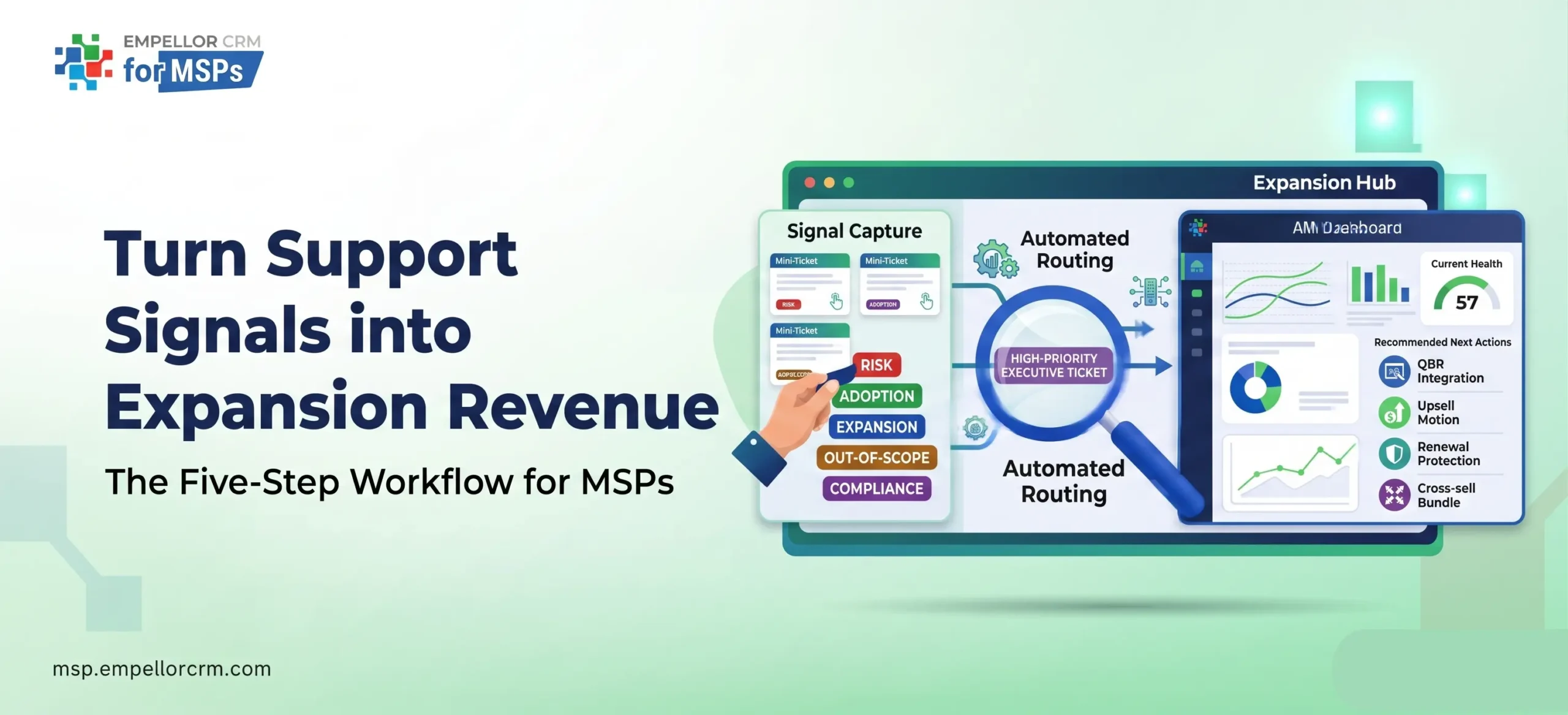
The short version: Your service desk is already producing the intelligence your account managers need to protect renewals and close upsells. The data exists. The workflow to act on it doesn’t. This post builds that workflow from scratch — signal tagging, automated routing, AM dashboards, QBR integration, and the four motion types that convert support patterns into revenue.
Your service desk closed 3,400 tickets last quarter.
How many of them turned into a revenue conversation?
For most MSPs, the honest answer is: none. Tickets get resolved. CSAT scores get logged. The queue empties. And the account manager prepares for the renewal conversation with the same information they had 90 days ago — SLA performance, contract value, maybe a note from the last QBR.
Meanwhile, the service desk engineer who just closed the fourth password reset for the same client in three weeks knows something the AM doesn’t: that team hasn’t adopted M365 properly, they probably need a training program or a Modern Work enablement add-on, and they’re going to blame the MSP for the productivity problem at renewal time if nothing changes.
That gap — between what your service desk sees and what your account managers act on — is where MSP revenue quietly bleeds out. Not through lost deals. Through expansion opportunities that never get surfaced, and renewal risks that only become visible when it’s too late to run a save play.
This is how you close it.
Why the Gap Exists (It’s Not a People Problem)
Most MSP leaders assume the service-to-revenue gap is a motivation problem: engineers don’t flag commercial opportunities because they don’t think it’s their job, are too busy, or the AM never follows up when they do.
That’s part of it. But the structural cause is simpler: there’s no defined workflow connecting the two functions. Three things break the connection:
Disconnected systems. Tickets live in the PSA. Account health lives in the CRM. Renewal dates live in billing. Pipeline lives in the sales tool. Without automation, getting those four data sources into the same view requires a manual effort that doesn’t happen consistently, which means the AM is never looking at support data when they’re building a renewal forecast or preparing a QBR.
No tagging discipline. A ticket closed as “resolved” tells you nothing commercially useful. Was it the third password reset this month — an adoption signal? Was it the second P2 in 30 days on an aging server — an infrastructure risk? Without a consistent signal taxonomy applied at ticket close, the pattern is invisible to everyone outside the service desk.
No handoff process. Even when an engineer spots something worth flagging — “this client keeps asking about Teams governance, they need a policy framework” — there’s no defined route to the AM. It stays a mental note that gets buried in the next ticket queue.
The result is predictable: you over-invest in net-new pipeline while churn risks and expansion gaps compound in your existing book. Most MSP growth strategies fail because they treat growth as a new-logo problem when the faster path is in the accounts you already manage.
What an Expansion Signal Actually Is
An expansion signal is a ticket pattern — not a single ticket — that points to either a commercial risk or a commercial opportunity. The signal is in the trend, not the individual interaction.
There are two signal types, each requiring a different response:
Reactive signals indicate current risk or urgency. They require fast routing and typically trigger a renewal protection or save play.
Proactive signals indicate readiness or emerging need. They require a consultative response and typically trigger an upsell or cross-sell motion.
Here’s what each looks like in your ticket queue — and what to do with it:
| Signal Type | What It Looks Like in Tickets | Commercial Implication | Playbook Motion | AM Owner |
|---|---|---|---|---|
| Escalation frequency | 3+ P1/P2 tickets in 30 days on the same system | Tier undersell or infrastructure risk | Renewal protection/tier upgrade | Yes — 48hr touchpoint |
| SLA miss pattern | Repeated breaches on backup, endpoint, or connectivity | Client will surface at renewal | Pre-empt with an EBR before renewal | Yes — proactive outreach |
| Executive-submitted ticket | CFO or CEO submits directly | Issue has reached executive attention | AM alert within 4 hours | Yes — immediate |
| Compliance-adjacent tickets | Questions about MFA, data retention, audit logs | Upcoming compliance initiative (ISO, SOC 2, CMMC, cyber insurance) | Cross-sell compliance bundle | Yes — 7-day follow-up |
| High-frequency “how-to” tickets | 5+ “how do I use Teams/SharePoint/Defender” per month | Low adoption — training or enablement gap | Upsell: training program or Modern Work add-on | Yes — in next QBR |
| Multi-service tickets | Single ticket touching backup, endpoint, AND identity | Client has cross-service dependencies; your bundle doesn’t cover them cleanly | Consolidation or tier upgrade conversation | Yes — at next touchpoint |
| Provisioning surges | Spike in new user/device/site setup requests | Headcount or location expansion | Seat add or expansion quote | Yes — trigger CPQ quote |
| Out-of-scope requests | “Can you help us with X?” where X is an outside contract | The client has explicitly asked for more | Cross-sell — route to AM same day | Yes — immediate |
The signal-tagging framework you build determines which of these patterns become visible and which remain buried. We’ll cover implementation next.
The Five-Step Service-to-Revenue Workflow
None of what follows requires new software. Every component runs on tools MSPs already have — ConnectWise Manage, Autotask, Halo, or Dynamics 365 + PSA. The gap is configuration and process, not capability.
Step 1: Add a Signal Tag to Every Ticket
Add a single custom field to your ticket close form: Signal Tag — a picklist with five values:
- Risk — a pattern that indicates a service quality or infrastructure problem
- Adoption — a pattern that indicates low product or feature adoption
- Expansion — a pattern that suggests readiness for additional services
- Out-of-Scope — a client request that sits outside the current contract
- Compliance — any interaction touching regulatory or security posture
The engineer selects one value for ticket close. It takes under five seconds. That one field creates the data layer that everything else in this workflow depends on.
In ConnectWise Manage: Add a custom field to the Ticket Close form under System > User-Defined Fields. Set it as a required picklist that fires only when the status changes to Closed.
In Autotask: Add a User-Defined Field to the Service Desk ticket entity. Configure a workflow rule to make it required on close.
In Dynamics 365 with PSA integration: The signal tag syncs directly to the Account record and feeds the health score calculation automatically — no manual mapping needed. This is one of the advantages of running your CRM and PSA on the Microsoft stack.
Set a 90% tagging rate target within the first 60 days of rollout. Below 80%, the pattern data isn’t reliable enough to trust for commercial decisions.
Step 2: Automate Signal Routing
Tagged tickets without routing are just better-organized data. The routing is what makes the system work without requiring anyone to manually read the queue.
Build four automation rules — each creates a CRM record and assigns it to the account manager:
Risk threshold rule: 3+ Risk-tagged tickets on the same account in 30 days → Create a Renewal Risk record in CRM, assign to AM, set 48-hour response SLA. This gives the AM enough lead time to run a save play before the client brings it up themselves.
Out-of-scope cluster rule: 2+ Out-of-Scope tags in 30 days → Create an Expansion Opportunity in CRM, assign to AM, tag the trigger service. The client has asked for something outside their contract twice. That’s not accidental — route it commercially.
Compliance signal rule: Any Compliance-tagged ticket → Create a cross-sell task linked to the relevant compliance bundle, assign to AM with a 7-day follow-up window.
Executive escalation rule: Any ticket submitted by a contact tagged as CFO, CEO, or MD → Trigger an AM alert within 4 hours, regardless of ticket priority. When an executive goes to the service desk directly, the account needs a commercial touchpoint, not just a resolution email.
The AM receives a CRM task with the signal context already attached. They don’t need to read ticket queues — the queue reads itself and routes what matters to them.
Step 3: Build the AM’s Signal Dashboard
Automation creates the records. The dashboard makes them actionable in the AM’s daily workflow.
Build an account-facing view in Dynamics 365 or Power BI that shows — for each account — the signal count by type in the last 30 days, the current health score, the renewal date, and the recommended next action. This is the AM’s morning briefing, not an additional tool to check.
The view should surface three things at a glance:
- Accounts with active Risk signals and a renewal inside 90 days — these are the most urgent
- Accounts with active Expansion or Out-of-Scope signals and a health score above 7 — these are the best upsell candidates
- Accounts with no signal activity in 30 days — these are potentially invisible clients who need a proactive outreach
Building this dashboard properly is the difference between a system that gets used and one that gets abandoned after the first month. It needs to be in the AM’s existing workflow — not a separate portal they have to remember to open.
Copilot shortcut: With Microsoft Copilot in Dynamics 365, the AM can prompt: “What expansion signals has Acme Corp generated in the last 90 days?” and receive a structured summary — signal types, dates, associated tickets, recommended motion — in a single response. That’s a four-hour QBR prep process compressed to four minutes.
Step 4: Connect Signal Data to QBRs and Renewal Playbooks
Signal data only changes revenue outcomes if it changes the conversation in the room. Two places to embed it:
In the QBR: Add a “Service Signal Review” segment — five minutes, one slide, showing the top three signals from the last 90 days and the expansion motion each one points to. This makes the recommendation feel data-led rather than sales-driven. “We’re seeing this pattern in your ticket data, and it points to this gap” lands materially differently than “we think you should add this service.”
For a full QBR structure that works, see Quarterly Growth Reviews: How to Keep Your Strategy Aligned.
In the renewal playbook: Link the T-90 health baseline to signal data, not just SLA metrics. An account with healthy SLAs but high Out-of-Scope signal volume is an expansion candidate. An account with healthy SLAs but a rising Risk signal trend is a churn risk. Both look identical in a standard SLA report. They look completely different in a signal-aware view.
Tracking renewals and co-terming with the right tools ensures the renewal timeline is visible alongside signal data — so the AM knows exactly how much time they have to act before the commercial conversation starts.
Step 5: Build the Feedback Loop Between Service Desk and AM
Process alignment is where most service-to-revenue initiatives stall at week three. The tagging discipline degrades when engineers don’t see evidence that their tags do anything.
Set up a monthly 30-minute alignment call between the Service Desk Lead and the AM team. Share two data points: which signal tags generated a revenue conversation last month, and which patterns the AM is seeing in account reviews that the service desk should start flagging more consistently.
This feedback loop does three things: it validates the engineer’s effort, it improves tagging accuracy over time, and it gives the AM team field intelligence they wouldn’t otherwise have. It’s the mechanism that makes the system self-improving rather than requiring constant management attention.
The Four Revenue Motion Types
Once the signal workflow is live, every signal category maps to a specific motion. These are not complex multi-step sequences — they’re the minimum viable response that turns a support pattern into a commercial outcome.
Renewal Protection (triggered by Risk signals) Risk signal threshold hit → AM receives CRM task → runs T-90 renewal playbook → addresses root cause before the commercial conversation starts. The ticket data becomes the pre-work that makes the renewal go smoothly rather than defensively. The client doesn’t open with “your team has been dropping the ball” because the AM got there first.
This connects directly to how to expand revenue from existing customers — retention is the foundation of expansion. You can’t upsell a client who’s already decided not to renew.
Upsell Motion (triggered by Adoption or escalation signals). Recurring tickets on the same service component signal an under-specified tier. A backup job that fails 8% of the time because the storage target is undersized is a data-led upsell to a higher-capacity tier — and the service engineer already knows this. The upsell motion gets that knowledge to the AM with the evidence attached. It doesn’t feel like a sales pitch. It feels like the MSP is fixing a documented problem.
Cross-Sell Motion (triggered by Out-of-Scope or Compliance signals) The client has already asked for the service — they just asked the wrong team. Out-of-Scope and Compliance signals indicate that the commercial response must follow up on the support interaction within 7 days. Your clients often don’t know the full range of what you sell — the cross-sell motion is how you show them, at exactly the moment they’ve signaled need.
Account Review Enrichment (embedded into every QBR). Every QBR prep automatically pulls the last 90 days of signal data. The AM walks in knowing the top signals, the recommended motions, and the supporting evidence from the service desk. The QBR shifts from status update to strategic conversation. This is what it means to connect service excellence to revenue growth — the same service data that proves delivery quality becomes the foundation for expansion conversations.
Predictive Signals: What AI Adds to the Workflow
Manual signal routing handles the present. Predictive analytics handles what’s coming.
Standard dashboards show the snapshot. AI shows the direction—and in the MSP business, that direction usually matters most.
An account with a rising Risk signal trend over three consecutive months, combined with declining CSAT and a renewal in 60 days, is materially different from an account with the same current health score but a flat trend. Treating them identically is how renewal conversations that should have been easy become defensive negotiations.
Microsoft Copilot in Dynamics 365 surfaces three specific patterns MSPs are using now:
Expansion-ready account identification: Accounts with high Adoption signal volume and a current tier that doesn’t match their usage level — candidates for an upsell conversation this quarter. Copilot generates the list and the recommended talk-track, not just the data.
Churn risk early warning: Accounts where Risk signals are accelerating, and executive engagement (measured by ticket submission and attendance patterns) is simultaneously declining. Both signals together indicate that a client has mentally begun evaluating alternatives. The lead time this creates is the difference between a save and a churn.
Dynamic playbook triggering: When a Compliance-tagged ticket is created in an account with a known cyber insurance renewal, Copilot automatically surfaces the relevant cross-sell playbook to the AM. No manual lookup. No waiting for the next weekly sync.
This is the infrastructure that makes strategic account management scale beyond what an AM team can manually track across 40+ accounts. The data already exists — the AI makes it actionable without adding to the AM’s workload.
Benchmarks: What Success Looks Like at 60 and 180 Days
Set these targets before you build the workflow. They give the program a definition of success that finance and leadership can evaluate — and they tell you if something in the process is breaking before it becomes a revenue problem.
| Metric | Target | When to Measure | What Failure Looks Like |
|---|---|---|---|
| Signal tagging rate | ≥ 90% of tickets tagged on close | Days 30 and 60 | < 80% = tag field isn’t required, or training gap |
| Signal-to-opportunity conversion | ≥ 15% of Expansion signal batches → qualified CRM opportunity | Days 60–90 | I’m not acting on tasks, or task routing is broken |
| At-risk account detection lead time | ≥ 45 days before the account enters formal renewal risk | Days 90–120 | The risk threshold is set too high, missing early signals |
| QBR expansion motion rate | ≥ 60% of QBRs include a data-led expansion recommendation | Day 90 onward | Signal data isn’t being pulled into QBR prep |
| NRR impact | 5–8% lift within two quarters | Day 180 | Check: are saves actually happening, or just being logged? |
A $5M-ARR MSP that recovers 2% in avoidable churn and adds 4% expansion NRR from the same account base generates approximately $300,000 in incremental ARR without touching the new-logo pipeline. That’s the revenue that’s already in the accounts you manage — it just needs a workflow to surface it. For more on what’s at stake, see how much revenue you’re leaving in existing accounts.
Where Most MSPs Get This Wrong
A few patterns derail service-to-revenue programs that are otherwise well-designed:
They start with the dashboard, not the data. An AM-facing expansion dashboard built on untagged tickets shows no useful information. The tagging schema and automation rules come first. The dashboard is the output, not the starting point.
They make tagging optional. Optional fields get skipped in 70% of ticket closures within two weeks. The signal tag must be a required field on ticket close — no exceptions. The five-second friction is not a problem. The visibility it creates is the point.
They don’t close the feedback loop. Engineers who tag tickets but never hear back will stop tagging with accuracy. The monthly alignment call between the Service Desk Lead and the AM team is not optional infrastructure — it’s what keeps the program running six months in.
They treat expansion as a sales team responsibility. The AM executes the motion, but the engineer surfaces the signal. Without clear ownership at the service desk level — backed by a tag picklist, not an expectation — the signals stay invisible. Sales and marketing alignment gets most of the attention in MSP revenue conversations. Service-to-sales alignment is the gap that actually moves NRR.
They wait for the QBR to act on Risk signals. A Risk signal that surfaces 7 days before a renewal conversation is not actionable. The 45-day lead time benchmark exists for a reason — the routing automation needs to be sensitive enough to catch the pattern early, while there’s still time to run the playbook.
Frequently Asked Questions
What is an expansion signal in MSP support data?
An expansion signal is a ticket pattern — not a single ticket — that indicates a client is ready for or needs additional services. It can be reactive (a recurring Risk ticket pointing to an under-specified tier) or proactive (a cluster of “how-to” tickets pointing to a training or enablement gap). The signal is the pattern across multiple tickets over time, not any individual interaction.
Do I need new software to build this workflow?
No. The core workflow runs on your existing PSA (ConnectWise Manage, Autotask, or Halo) combined with your CRM (Dynamics 365 or similar). You need two configuration changes in the PSA: a signal tag custom field on the ticket close form, and automation rules that create CRM records when signal thresholds are hit. Most MSPs can configure both in under a day.
What’s the difference between a reactive and a proactive expansion signal?
Reactive signals (escalations, SLA misses, compliance questions, executive-submitted tickets) indicate current risk or urgency. They require fast routing to the AM and trigger a save-or-renewal protection play. Proactive signals (high adoption activity, out-of-scope requests, provisioning surges) indicate readiness or emerging need. They require a consultative response and trigger an upsell or cross-sell motion. Both matter — they just require different playbooks.
How does this connect to renewal management?
Signal data feeds directly into the T-90 renewal health baseline. An account with healthy SLAs but high Risk signal volume requires a different renewal approach than one with healthy SLAs and a flat signal trend. Connecting signal data to renewal tracking — through a tool like Work 365 or CRM-based renewal workflows — means the commercial team sees the real account health picture, not just the SLA report.
How do you maintain tagging discipline over time?
Two mechanisms: make the tag a required field on ticket close (so it can’t be skipped), and run a monthly 30-minute alignment call between the Service Desk Lead and the AM team. Share which tags generated revenue conversations last month. Engineers who see evidence that their tagging directly creates commercial outcomes maintain discipline. Those who tag into a void don’t.
What ROI should we expect from this workflow?
A $5M-ARR MSP implementing a full service-to-revenue workflow typically sees 5–8% NRR improvement within two quarters — driven by earlier churn detection, faster expansion conversion, and higher QBR effectiveness. The actual number depends on your current churn rate, expansion motion, and account count. A growth assessment can model the expected impact for your specific book of business.
Every Ticket Is a Data Point. Start Treating It That Way.
Your service desk is already generating the intelligence your account managers need to have better renewal conversations, spot expansion opportunities earlier, and protect NRR against silent churn.
The intelligence just isn’t reaching them.
Build the tagging discipline. Automate the routing. Surface the signals in the AM’s daily view. Connect it to QBR prep and the renewal playbook. The service desk doesn’t change what it does. It changes what happens with the data it already produces.
That’s how a cost center becomes a revenue engine.
Ready to build this workflow for your PSA and Dynamics 365 stack?
Empellor CRM implements the full service-to-revenue architecture — signal tagging schema, CRM automation rules, AM dashboard, and QBR integration — in a single working session as part of the MSP Growth Assessment.
We configure it for your existing tools. You leave with a live workflow, not a slide deck.
Book Your MSP Growth Assessment →
Related reading: